
Bring Your Shopify Store to Life with Lottie Animations
Sujay Hegde
If you've ever landed on a website with icons that move, a loading screen that didn't bore you, a hero section that drew your eye exactly where it needed to go, there's a good chance Lottie was behind it.
Lottie is an open-source animation format. It takes animations built in tools like After Effects and exports them as lightweight JSON or .lottie files that play natively on the web, on mobile, and across platforms without the performance cost of video or the stiffness of CSS transitions. They're small, crisp, scalable, and interactive. That's a winning combination in today’s website landscape.
We've already put it to work inside HubSpot by building a plugin that lets HubSpot users drag and drop Lottie animations directly into their pages, no code required. Read about it more here, in this blog page.
Now, we've done the same for Shopify.
Shopify and Lottie — The Gap No One Talks About
Shopify powers over 4 million online stores. It's the default choice for entrepreneurs and growing brands because it removes the infrastructure headache and puts product first. But if you've ever tried to add a Lottie animation to your store, you know exactly where that ease runs out.
Shopify has no native Lottie support. No built-in block, no upload button, no playback controls. Doing it the traditional way means custom Liquid code, manual script injection, and enough developer back-and-forth to make you say "forget it." And you’re back to square one if something breaks in a theme update. For a platform built around speed and simplicity, it's a frustrating dead end.
The stakes are real. Consider what a static storefront actually costs you:
First impressions happen in milliseconds. A store that looks like every other Shopify template — static images, standard fonts, predictable layout — blends in. In competitive categories, blending in can cost you business.
Static displays leave shoppers guessing. A hero banner that sits still doesn't communicate quality or personality. An animated illustration does. It signals craft and attention in a way shoppers feel, even if they can't explain why.
Engagement drops without visual variety. Animated elements hold attention longer and reduce bounce rates. A hover effect on a CTA, an animated badge on a promo banner, these micro-moments keep shoppers moving through your funnel.
Your competitors are already doing it. The brands investing in animated storefronts aren't doing it for novelty. They're doing it because it converts. Every day your store stays static is a day you're ceding that edge.
If you've hit this wall, you're not alone — it's one of the most common frustrations among store owners who've outgrown their theme's defaults and want more without hiring a dev team.
Our Solution — LottiePlayer for Shopify
We built LottiePlayer: JSON/dotLottie to close this gap for good.
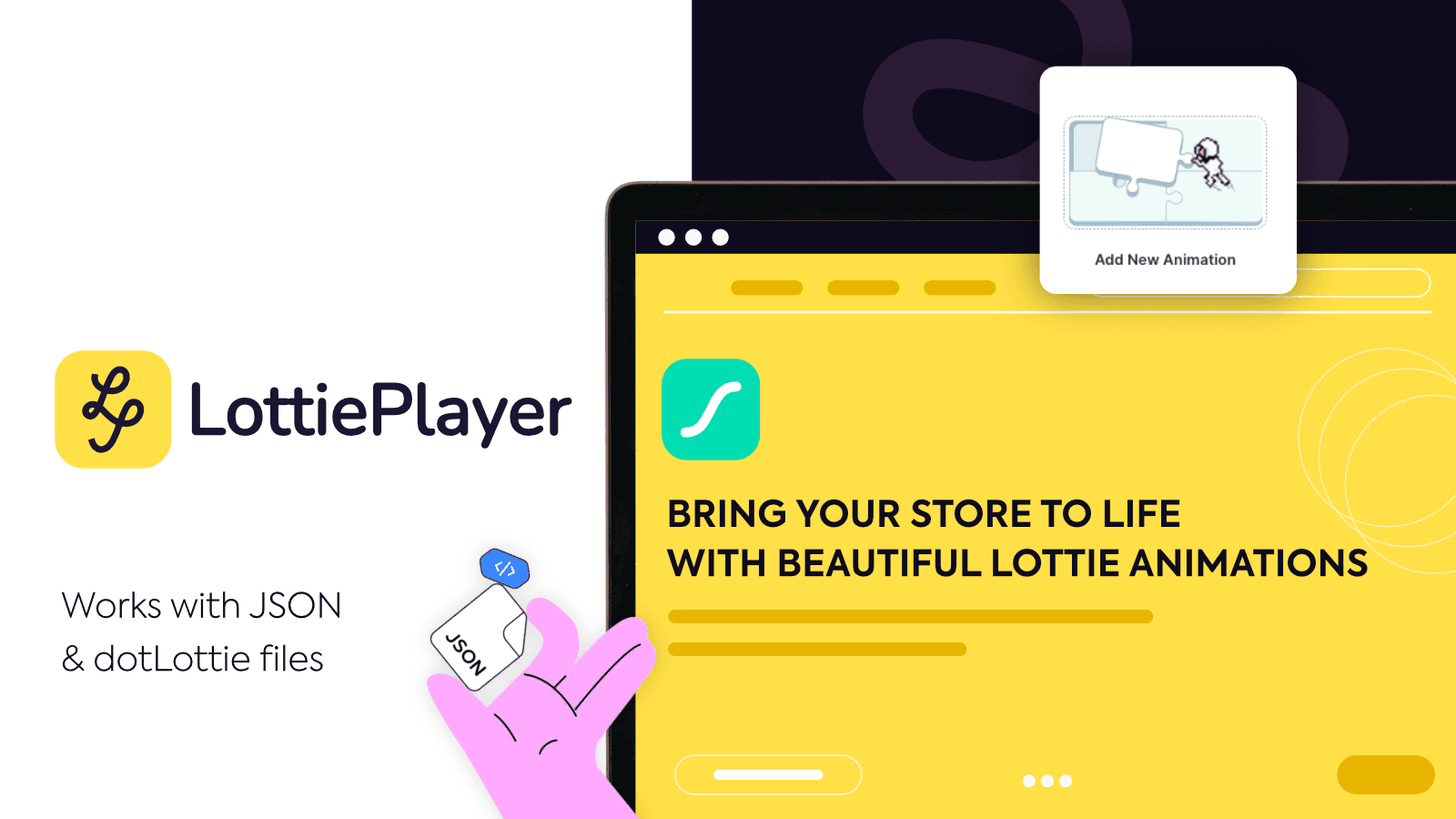
It's a Shopify app that brings full, native Lottie animation support directly into your store editor — no code, no custom Liquid, no developer dependency. You drag it in, upload your file, and it plays. That's the whole setup.
Where to Find It
You can install LottiePlayer directly from the Shopify App Store. Once installed, the player block appears automatically in your Shopify theme editor. From there, you can place it anywhere on any page — homepage hero, product detail, collection banner, footer, anywhere — using the same drag-and-drop interface you already know.
It's fully compatible with all Shopify themes and works out of the box with popular page builder apps like GemPages, which gives you even more layout flexibility and structural control if you want to build more complex page compositions.
How It Works
At the core, LottiePlayer supports two file formats: JSON and .lottie (dotLottie).
If you've worked with Lottie animations before, you'll know the .json format — it's the original Lottie export, widely supported and easy to source. But .lottie is the format worth paying attention to.
dotLottie is a next-generation container format developed by the LottieFiles team. Think of it as Lottie's smarter, leaner successor.
A .lottie file wraps the same animation data in a compressed, binary-optimized package — typically 10x smaller than the equivalent .json file without any loss in visual quality. That means faster load times, better Lighthouse scores, and smoother performance on mobile. It also supports multiple animations in a single file and opens the door to interactivity features that .json alone can't deliver. Currently, we're the only Shopify app offering native .lottie support out of the box.
You can source free, high-quality animations in both formats directly from LottieFiles.com, which hosts an extensive library of free dotLottie animations across every category imaginable — from e-commerce icons to loading screens to celebration effects.
Download one animation, upload it to the plugin, and let’s set it up.
Setting It Up
Getting your first animation live takes under five minutes:
Upload your animation file. In your Shopify admin, go to Content → Files and upload your
.lottieor.jsonfile. Once it's uploaded, copy the file URL using the 'Copy link' icon. Alternatively, you can paste any external.jsonor.lottieCDN link (from LottieFiles, for example) and skip the upload entirely.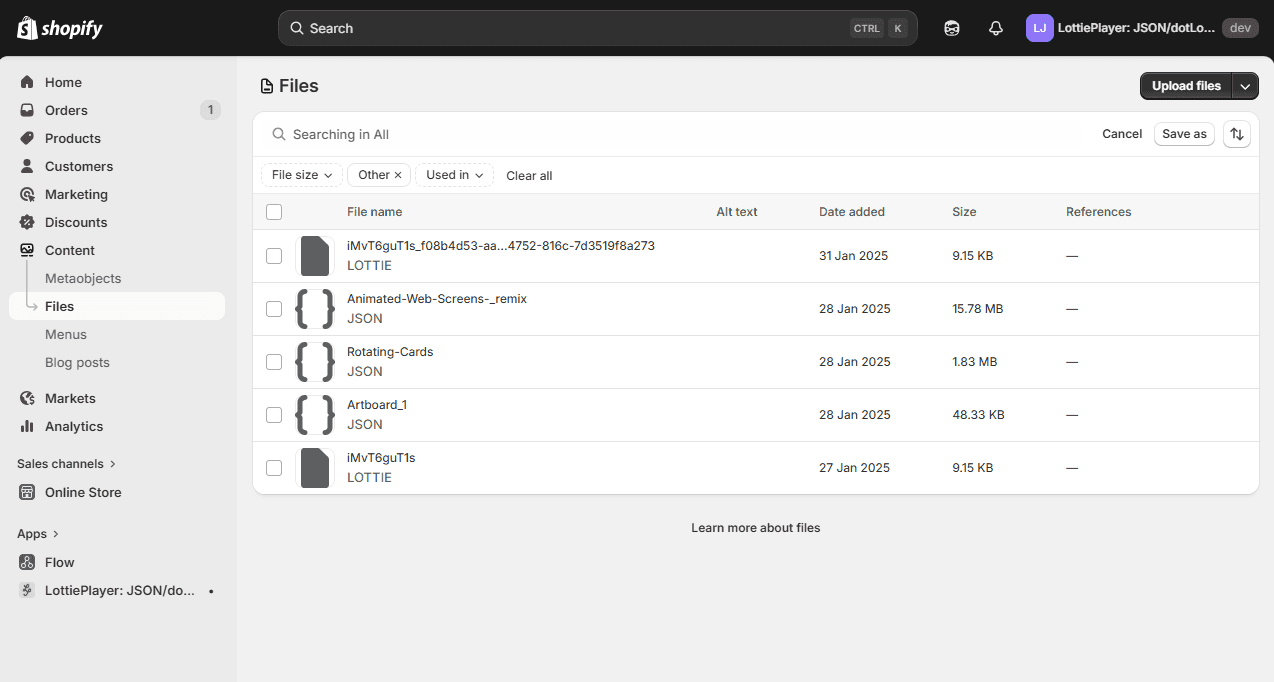
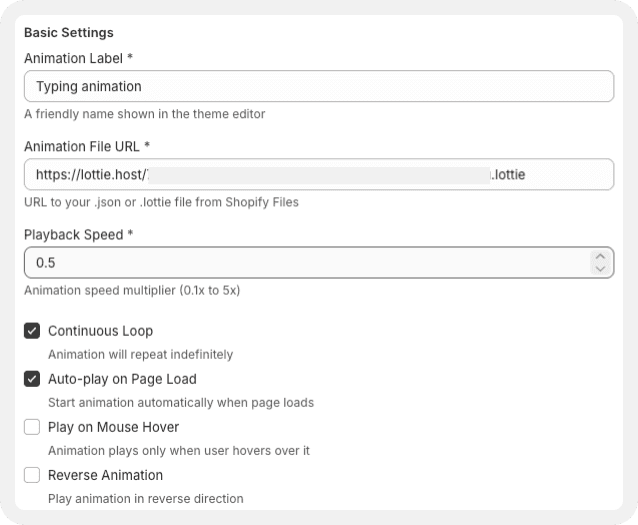
Configure your animation. Head to the Customize Animations page inside the app and paste the file URL. Give it a memorable label, something like 'Homepage Hero', so you can find it easily later. Choose when it plays (on page load, on hover, on click, or on scroll), set the loop behavior, adjust playback speed, and pick a direction (forward or reverse).
Add it to your theme. Open the Theme Editor, click 'Add Section' or 'Add Block', and find 'LottiePlayer' under the Apps tab. Select your animation from the dropdown using the label you just created, and it's placed.
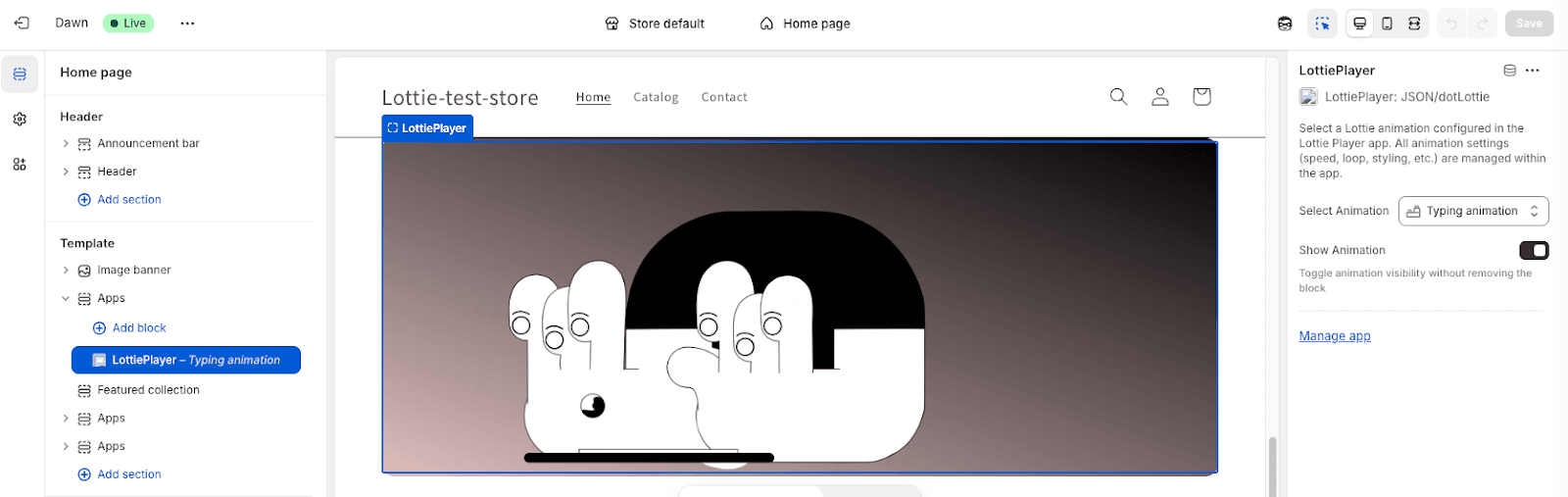
Preview and publish. The live preview editor shows you exactly what it'll look like before you go live.
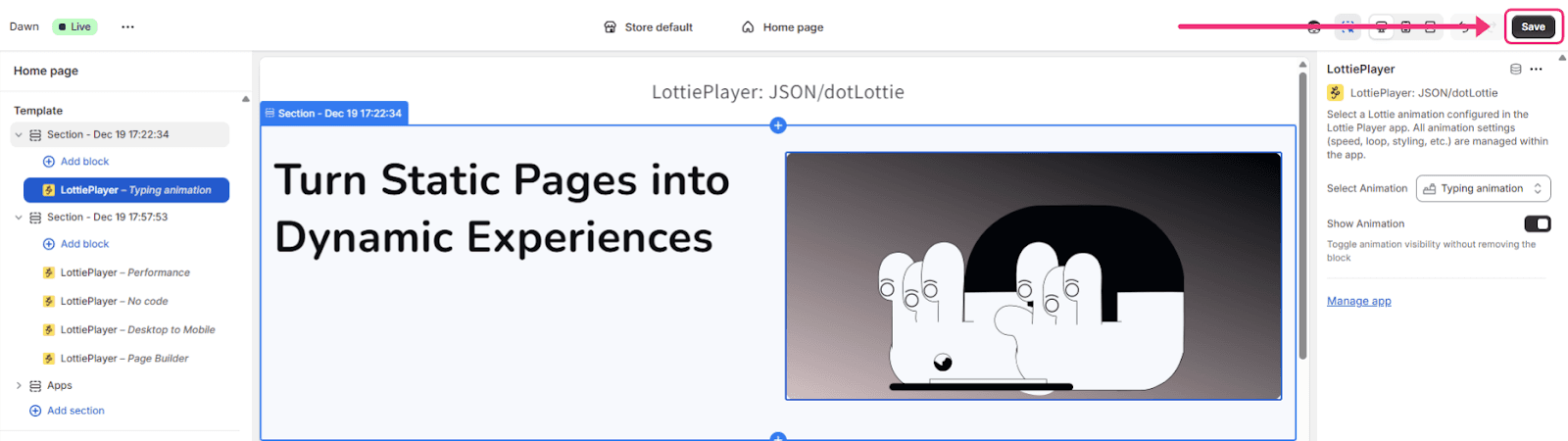
You can also configure the visual details: size, alignment, background color, border radius, and a fallback image for environments in case the animation link ever breaks or if you accidentally delete the animation file.
Every setting is accessible in a clean UI — no code required at any step.
The app is fully responsive, so your animations look sharp on desktop and mobile without any extra configuration. It works on all Shopify themes, and at $9.99/month (with a 3-day free trial), it's available to any store that is looking to stand out.
Animation Isn't a Nice-to-Have Anymore
A professional website communicates brand quality at a glance, holds attention, and guides visitors toward action. When done right, animation does all three simultaneously.
Lottie has been the gold standard for web animation for years now. Lightweight, beautiful, and engineered for performance, it's the format designers and developers reach for when they want motion that doesn't cost them in speed. The only thing missing, for Shopify store owners was a way to actually use it.
LottiePlayer closes that gap. No code, no dev calls, no compromises.
Just animations that work the way your store deserves.
Ready to Try It?
Install LottiePlayer on Shopify →
3-day free trial. Works with all themes. Full playback control from day one.
And if you'd like custom animations designed specifically for your brand, book a call with us — we'd love to help.